 Pierre Roy
Building GPT Images (gpt-images.ayfri.com)
GPT Images is a small site I use to generate and browse images (and more recently video) with OpenAI's APIs. Source is on GitHub: Ayfri/GPT-Images, with the main branch and full history (about 112 commits at the time of writing). This post covers why I built it, how it works, how the repo grew, and what I took away from it.
What it is and why it exists
I wasn't trying to compete with full design suites. I wanted a quick personal panel for image generation: pick a model and size, write a prompt, see history, get a rough cost estimate, and iterate without leaving the browser. Shipping it at gpt-images.ayfri.com made it easy to share and to use myself on random devices.
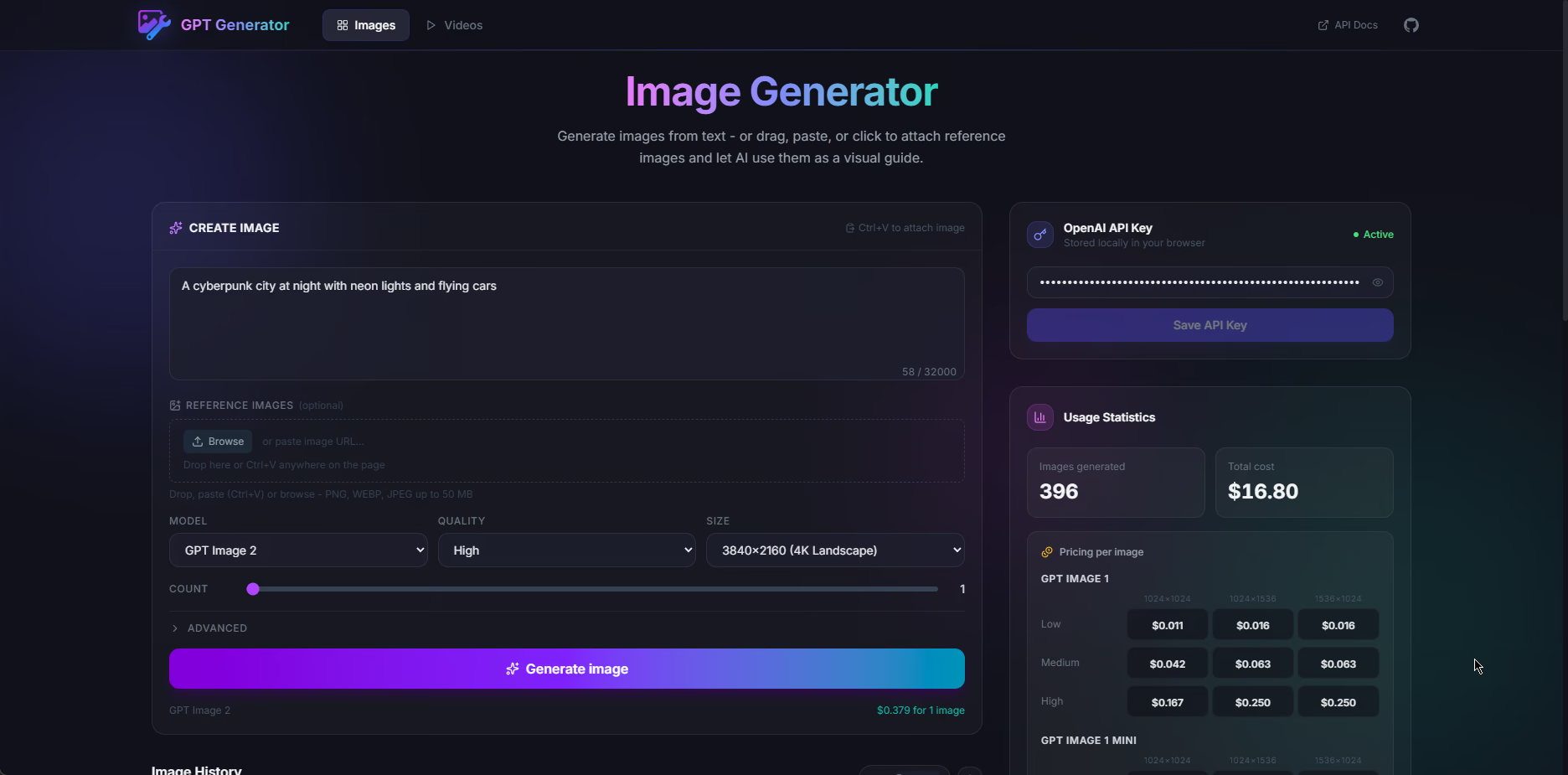
A few choices fall out of that:
- No server-side API key. The key stays in your browser. The app talks to OpenAI from the client with the official JavaScript SDK and browser usage turned on. Hosting stays boring and I never store other people's keys. The flip side is the usual client-side warning: if someone gets into DevTools or you're on a shared machine, a leaked key is on you, so treat it like any other secret that can leave the machine.
- Metadata in IndexedDB, blobs elsewhere. Generated media gets big fast. Huge
data:strings in IndexedDB work until they don't. Binary payloads moved to OPFS (Origin Private File System) with structured fields still in IndexedDB, plus versioned migrations so upgrades don't wipe galleries. The glue is inopfsStore.ts,migrations.ts, andimageStore.ts. - Pricing you can trust in the UI. List prices move, and
gpt-image-2is not billed like the older image models. The UI keeps explicit tables and helpers intypes/image.tsso the stats area stays useful instead of pretty but wrong. When OpenAI updates numbers, that's still the first file I touch.
Stack and deployment
It's SvelteKit, TypeScript, Tailwind 4 with @tailwindcss/vite, and Vite. Icons are Lucide via @lucide/svelte. Production goes through @sveltejs/adapter-cloudflare, same idea as my other small sites: static shell on the edge, no Node server for this app. wrangler.toml lives in the repo.
I switched package managers from pnpm to bun (package.json) mostly for speed and cleaner lockfiles on my machine. A lot of commits are routine dependency bumps; some came from Dependabot, e.g. PR #4 (Kit) and PR #5 (Svelte).
How generation works (images)
The flow is straight line stuff, close to OpenAI's Images API and their image generation guide:
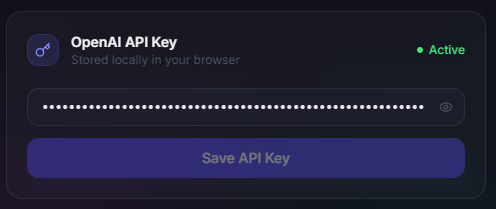
- You paste an API key. It persists in localStorage through a tiny store (
apiKeyStore.ts) so you don't have to retype it every visit. ImageGenerator(component) picks generate vs edit from context: no reference image means generation; attachments (and optional mask for inpaint-style work) mean edit. The client callsimages.generateorimages.editwithresponse_formataimed at base64 so the UI can stash results without an extra download step.openai.ts(service) is the one place that maps UI fields to API parameters (quality, size,background,moderation,output_format, compression, plus things like no transparent background ongpt-image-2) and turns errors into something readable.- IndexedDB holds one record per image (prompt, timestamps, model, quality, size, fidelity, format, ...). Pixels go to OPFS via
opfsStore(writeMediaFile); the row can leaveimageDataempty and reads build ablob:URL withreadMediaObjectUrlfor the grid and lightbox. That way you're not hauling giant strings through memory on every scroll.
The advanced block (input fidelity, output format, compression, moderation) sits behind an accordion so the default screen stays quiet, but you can still mirror most API tutorials field by field if you want.
Prompt length is capped in the UI against the documented max (GPT_IMAGE_MODEL_PROMPT_MAX_CHARS in types/image.ts) so you get a warning before the API says no. That landed in 4c76737.
Videos
There's a /videos route on top of the Videos API: enqueue a job, poll, then store the result with the same OPFS + IndexedDB split as images. Types and video pricing helpers are in video.ts and videoPrice.ts. The header switches Images / Videos and links out to OpenAI's docs so I don't have to maintain a second copy of every parameter description.
Usage stats and pricing
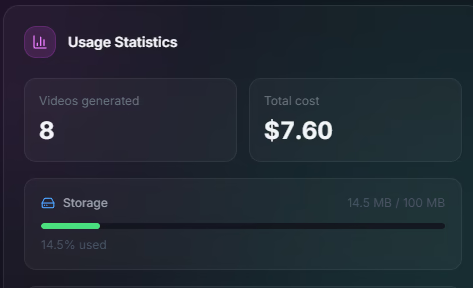
UsageStats and VideoUsageStats (UsageStats.svelte, VideoUsageStats.svelte) roll up what's already on disk. Image pricing in types/image.ts still has tables for gpt-image-1, gpt-image-1-mini, gpt-image-1.5, and separate logic for gpt-image-2 around image output tokens, with reasonable guesses when a resolution doesn't match a published row exactly. That part was annoyingly finicky: the product feels like "pick a size," but the invoice sometimes looks like tokens.
Interface evolution
Lately the UI settled on MediaGrid, MediaCard, and MediaLightbox (MediaGrid.svelte, MediaCard.svelte, MediaLightbox.svelte) so images and video share one pattern: grid, open, swipe in the lightbox, same price badges. Swipes use carouselSwipe.ts. Before that I had separate ImageGrid and VideoGrid; folding them together in aa4808b stopped fixes from only landing on one side.
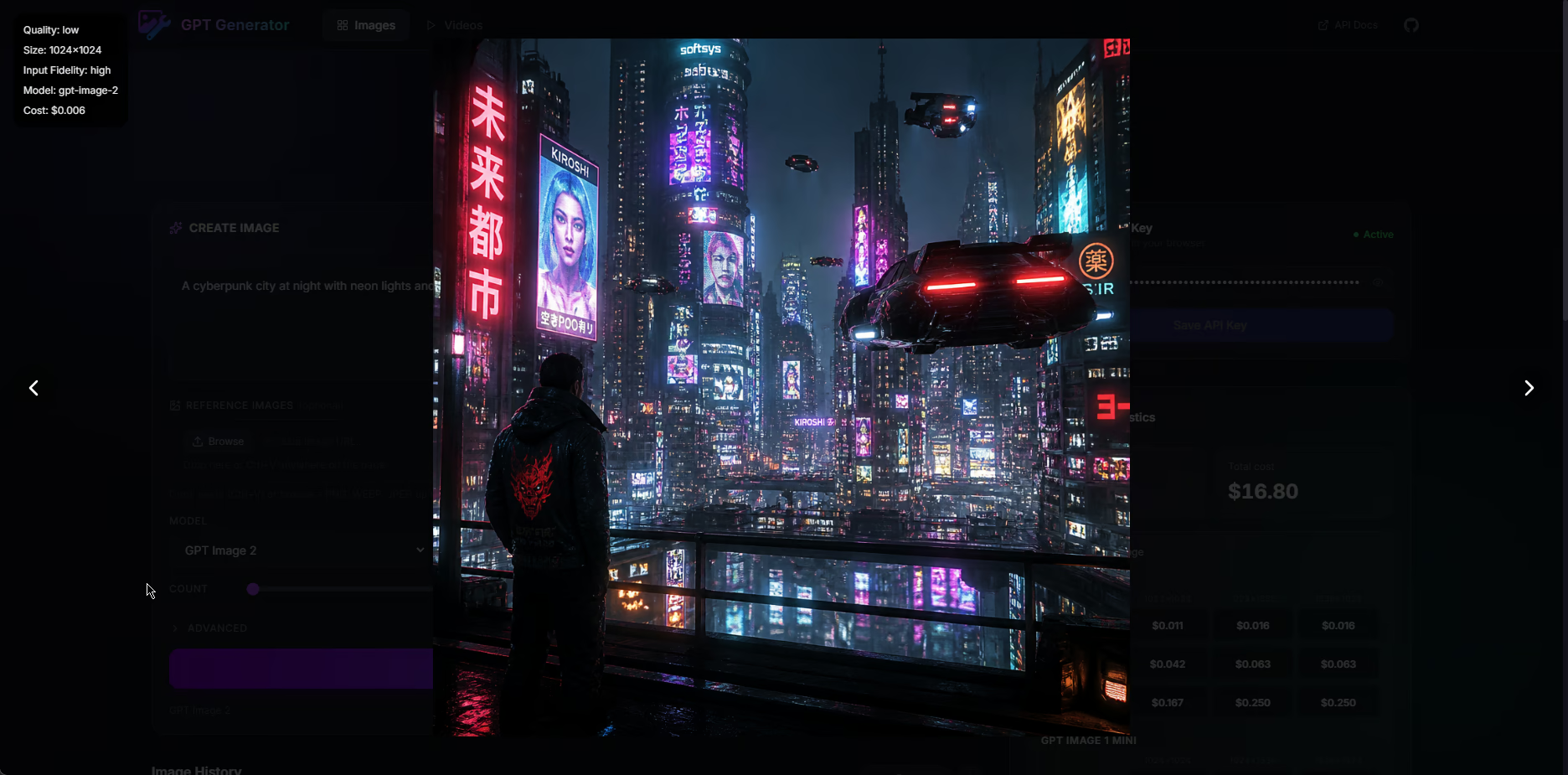
The shell (animated background, sticky header, footer) is there so the thing feels intentional instead of "default Svelte template gray."
Evolution in Git history (what actually happened)
If you've shipped a small API client before, the commit story will feel familiar. Here's a rough timeline against the full log. None of this was a master plan on day one.
April 2025: prove the loop, ship hosting
First commit c17314d is 2025-04-24. Same day the app went from layout/header to real generation + storage, then picked up multi-image runs, quality/size fields, a big viewer, SEO / Open Graph, robots.txt, and Cloudflare adapter. Order mattered: "prompt, API, thumbnail" had to work before I cared about polish.
Mid 2025: depth on images
Editing, masks, advanced options, and infinite scroll landed in a burst through late April and May 2025 (e.g. editing + upload, mask + backgrounds, infinite scroll). Then localStorage for form defaults and a GitHub link in the header. Model pick and multi-model pricing showed up in 3f3f849 as the API grew.
October 2025: Tailwind 4 and video
Tailwind 4 on 2025-10-06, then video (Sora 2) the day after: jobs, polling, storage parallel to images.
December 2025: Svelte 5 and GPT Image 1.5
2025-12-16 was Svelte 5 + runes and follow-up migration work (handlers, $effect, a11y). GPT Image 1.5 landed the same day as the framework jump. Classic week of platform churn stacked on vendor churn.
Early 2026: one panel, new storage, bun
2026-03-02: merged generate/edit UI with paste support, then videos and images aligned, pricing and stats passes, and a full UI revamp. 2026-03-11: pnpm to bun, then OPFS helpers and a versioned migration engine almost in the same breath. That's the point where it stopped being "fine on my laptop" and started being "won't murder IndexedDB once the gallery is real." Object URL caching came right after and made scrolling feel lighter.
Spring 2026: GPT Image 2 and shared media UI
2026-04-27: GPT Image 2 options + pricing, pricing fixes, and PR #10 (worked from a Copilot branch called "add image generation API," which is about how it was built, not a secret backend). MediaGrid / MediaLightbox merged the grids. Prompt character checks closed the loop (4c76737).
So no, I didn't plan all of that upfront. It's the usual path from demo to tool: when OpenAI shipped something new, the app either adopted it or said "not here" with a reason.
What I learned
- Client-only keys are a real product choice. They keep ops simple and keys with the user, but the docs have to spell the threat model so nobody thinks the site is a vault.
- Browser storage isn't one blob store. IndexedDB is great for structured rows and indexes. OPFS fits big binaries you read back a lot. A small migration runner earns its keep the first time you change that split without asking people to nuke site data.
- For paid APIs, bad price estimates are a UX bug. If the app lies, people blame the app. Keeping numbers and
getImagePrice(plus thegpt-image-2token guesses) next to the types keeps the UI and the math aligned. - Svelte 5 runes fit this UI shape. Derived
mode,MODEL_SUPPORT, and bindable props for "edit this again" flows meant less glue than the older "put everything in stores" style I would have used a few years back. - Wait on shared abstractions. Separate grids were fine until the behaviors matched; only then was one grid worth the churn. Git history makes that order obvious.
Conclusion
GPT Images stayed fun to work on because three things keep moving under it: OpenAI's surface area (models, token-ish pricing, video jobs), what browsers can do (OPFS, IndexedDB limits, SDK in the browser), and framework releases (Svelte 5, Tailwind 4, adapters). The repo isn't a mini SaaS. It's something I actually use, plus a reference layout for small SvelteKit clients: thin routes, pricing next to types, storage you can migrate, commits that read like a log of API changes.
If you open the site, assume bring your own key, and treat the code as support for the official docs, not a replacement for them. The interesting bits are the sharp edges: migrations, OPFS, pricing tables, and openai.ts as the single choke point for parameters. The rest is mostly there to give those pieces a home that doesn't look half broken.
The practical lesson: if you ship a client-only tool that lasts, version your data and own your pricing copy as seriously as you own the visuals. Everything else you can replay from c17314d to today's commits, one step at a time.